
The module properties is used to manage songs, configure expansion chip, vibrato style, and pitch mode.
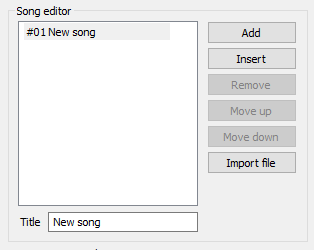
The song editor is used to manage multiple songs in a single module. The same instrument set will be used for all songs, and up to 64 songs are supported in a single file.
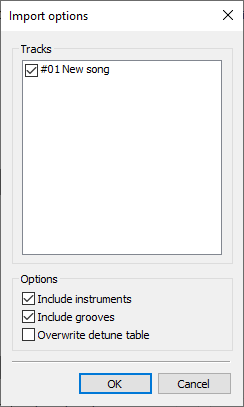
It is also possible to import module files as songs. Including instruments is optional: if you choose to then the new instruments and sequences will be added to the current project (it will not look for identical existing instruments). If you choose not then only pattern data will be included, this is used to combine multiple files where the same instrument set is used.
You can also import grooves and the detune table from the module file. Note that importing the detune table will overwrite the existing table.
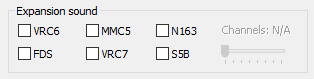
The expansion chip box is used to enable expansion chips for the module. Any combination of expansion chips may be enabled.
The channel count selector is only available for Namco 163.
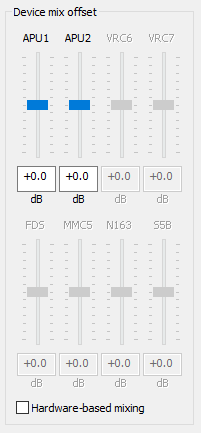
The Device mix offset box is used to adjust a module's
expansion chip
mixing level. They are correspondingly enabled by the current expansion
chips used. These offsets are stored in the NSFe / NSF2
mixe chunk,
upon export of compatible formats, for per-NSF hardware mixing.
The mixing will be adjusted in combination with the global hardware mixing levels, if Hardware-based mixing is disabled.
The Hardware-based mixing checkbox toggles between default mixing (legacy), and survey-based calibrated hardware mixing, whose measurements are based on the Brad Smith's expansion audio mixing survey.
Dn-FamiTracker's hardware-based mixing are calibrated based
on NSFPlay's mixe chunk constants (in millibels):
Note that the global hardware mix configuration will be ignored when hardware-based mixing is enabled.
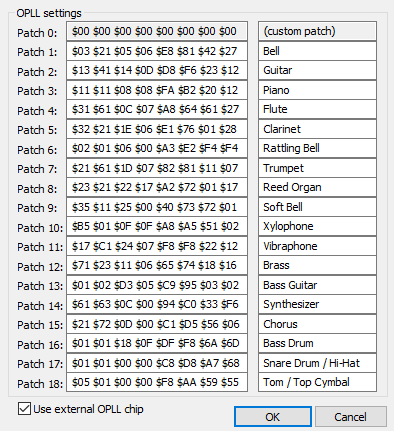
The OPLL settings box is used to modify a module's current OPLL patch set when VRC7 expansion audio and the "Use external OPLL" checkbox is selected. This is intended for modules which use an external OPLL in place of VRC7 registers, such as TNS-HFC.
These settings are stored in the NSFe / NSF2
VRC7 chunk upon export of compatible formats.

There are two styles of vibrato. The new style bends the pitch both up
and down, while the old style bends only bends the pitch down.
The new style is set by default for new songs while the old style is
set by default for files created with earler versions of vanilla
Famitracker. Here it's possible to change the style as you wish.
The new style was implemented since vanilla version 0.3.5.
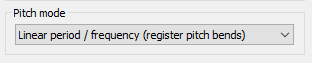
Linear pitch treats all pitch effects on melodic channels uniformly by
subdividing each semitone into 32 equal parts.
As of vanilla version 0.4.0, linear pitch was added but not available.
It is implemented in 0CC version 0.3.14.2.